morcibacsi
-
Počet příspěvků
26 -
Registrace
Typ obsahu
Profil
Články
Media Demo
Fórum
Galerie
Kalendář
Stahování
Vše od uživatele morcibacsi
-
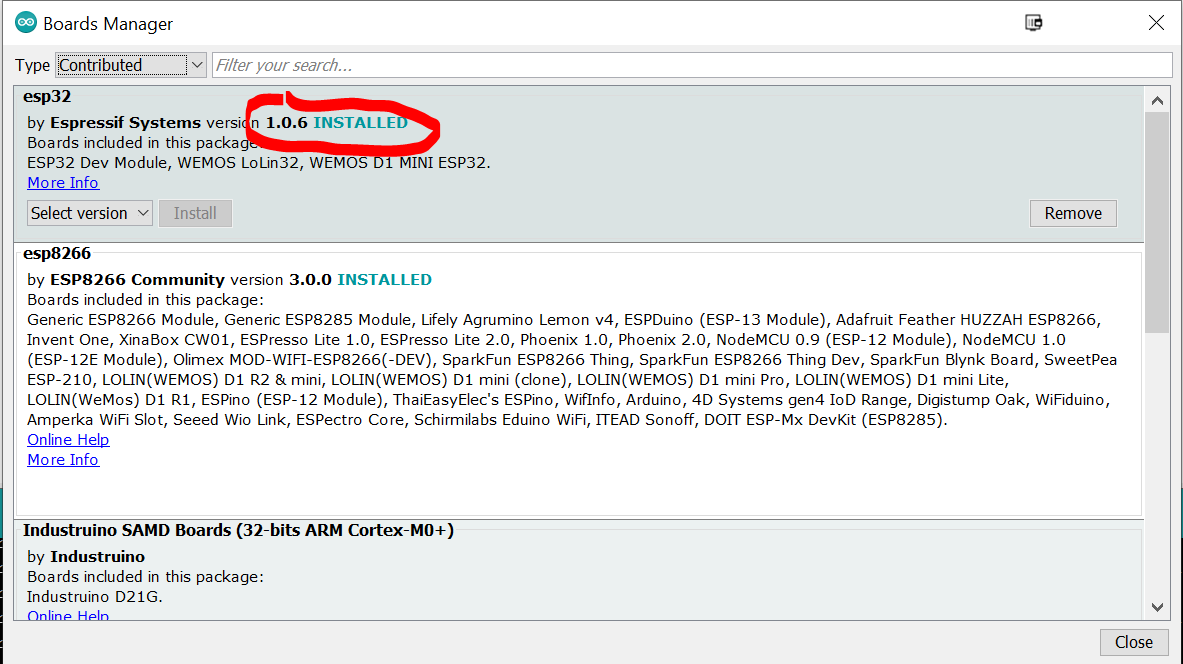
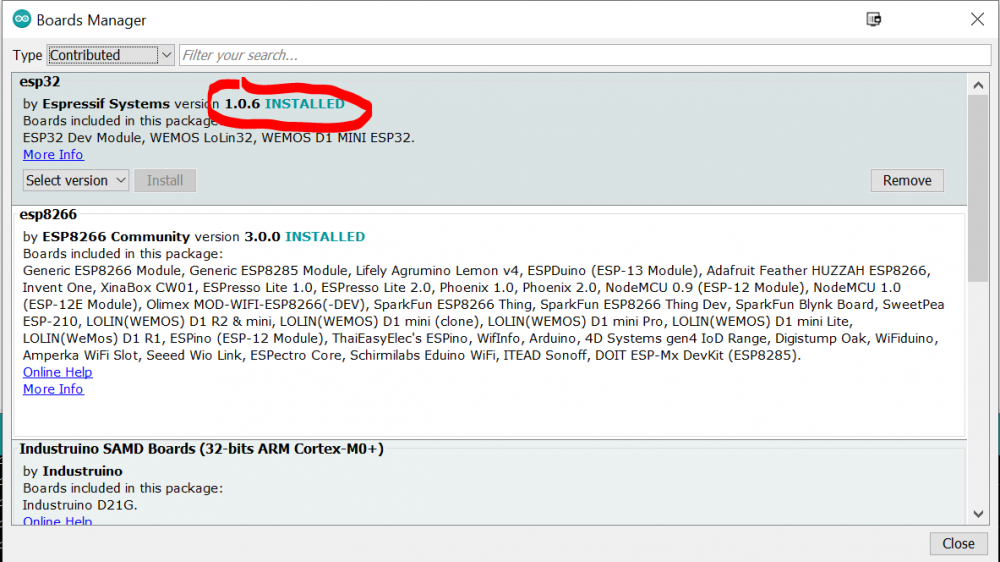
Try updating the esp32 board package. I have 1.0.6 as I can see you have 1.0.4.
-
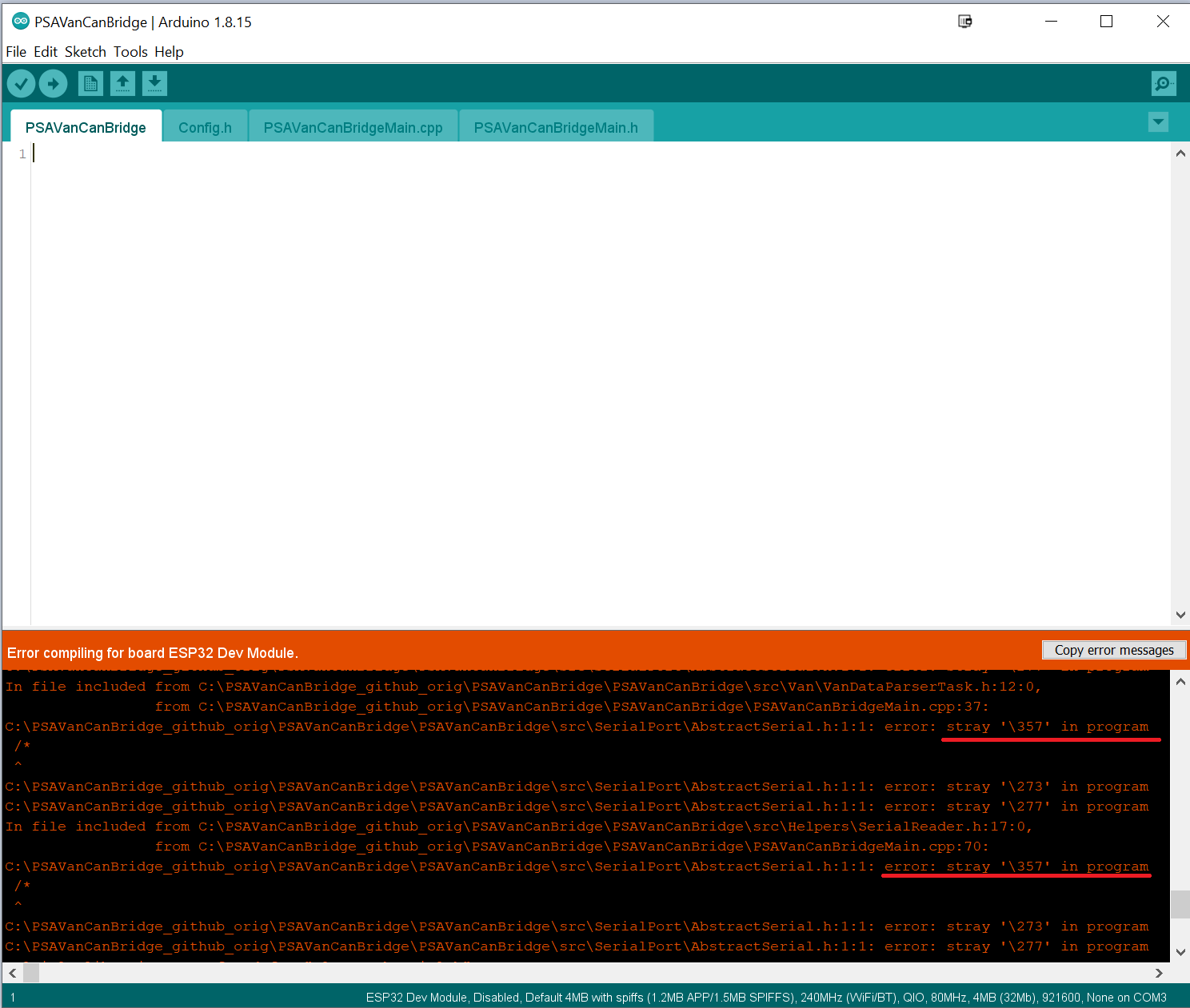
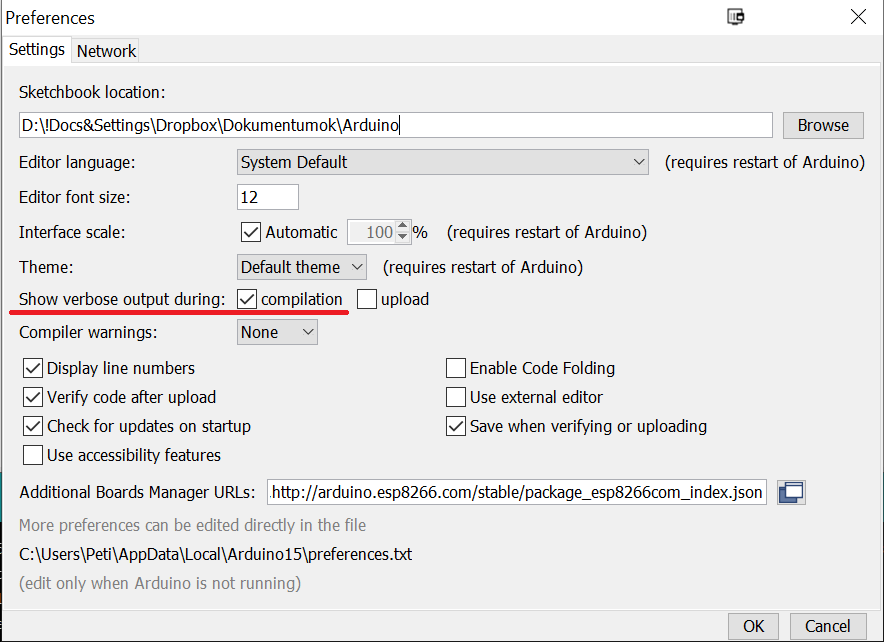
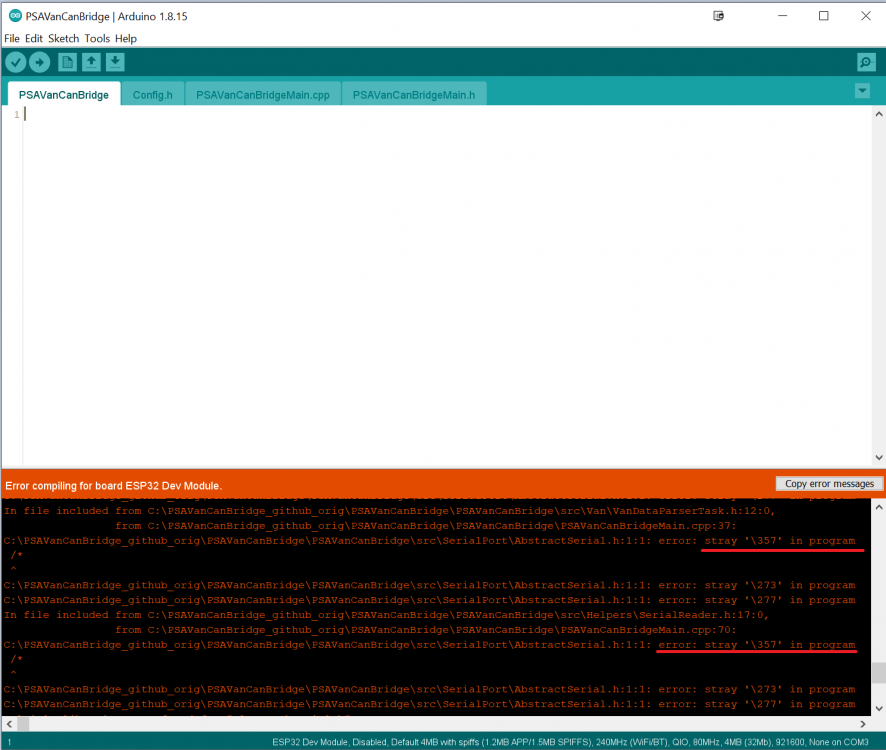
Some of the files were saved with utf-8 bom encoding which is apparently not tolerated by the IDE. Try redownloading the code from github. Now it should compile from 1.8.15 as well. With the previous version if you set verbose output in Arduino Files/Preferences you can see what the actual problem is (I suggest to turn this on anyways as it gives more detailed error reports when something goes wrong):
-
Something is wrong with the Arduino IDE... With 1.8.13 it compiles fine. After I upgraded to 1.8.15 it doesn't compile at all... I suggest to download an older version, while I try to figure out what is happening.
-
Try adding this library to your documents\Arduino\libraries\ folder: https://github.com/MajenkoLibraries/MCP23S17
-
It depends on which library you are trying to use. As I remember I only set the CAN type in the device settings, and nothing else. If you try using JunsunPSACANRemote, then use 127: However the JunsunPSAVANRemote uses 108:
-
As I can see you haven't installed it as an Arduino library (C:\Users\YOUR_NAME\Documents\Arduino\libraries\) It can work like this as well just try replacing: #include <JunsunPSAVANRemote.h> with #include "JunsunPSAVANRemote.h" (<> --> "")
- 116
-
- 2
-

-
That is an interesting issue you have there... Currently the screen brightness is tied to the dashboard lighting which should be turned on when the automatic light is on. I just tested this on my car, and if I turn on the automatic headlight by pressing the button on the left stalk it will light up the dashboard as well. Previously the dimming was connected to either the low beam or the high beam, but another user reported that it does not follow the A/C lighting mechanism so I changed it. I'll se what I can do about this... so everybody will be satisfied. Regarding the Wifi I don't have much news for you. I can't reproduce it so there is not much I can do about that. However as I said before I am working on an Android application which communicates with the V2C on bluetooth. I am new to Android development so the progress on the app isn't lighting fast.... but I have an early version of it (you can call it as a pre-alpha :D). I am testing it in my car to see if the modification causes any issues on the existing functionality. Currently I am busy on real life stuff (renovating our house), but next week I try to upload the changes needed for the Android app, and I upload the app here so you can thinker with it. In the meanwhile can you upload some VAN captures for me? The best would be to have 2 captures: one with the auto lighting enabled (when the screen flickers) and one with disabled, so I can compare what is the difference.
-
If you remove R3 then it'll go back to normal. R4 should be enough for the CAN part. Soon I'll start working on an Android app which will have the same functionality as the WifiDisplayControl but this time via a bluetooth connection. So if it isn't that urgent for you then you can also wait for that.
-
This seems fine. Just a stupid idea, isn't it possible that the CAN-H and CAN-L is switched around in one of the boards ? Just guessing, I really don't have any clue what seems to be the problem
-
This is a very weird error. The CAN lines should be terminated on their ends with 120 ohm resistors. It worths a shot to add them. If it doesn't help you can remove them anyways.
-
Are the two boards are working as standalone? I mean have you checked if you only connect the PSAWifiDisplayControl does it work? Did you installed the CAN termination resistors to the boards? (R3, R4 on v1.4 and R1,R2 on v1.1 - I haven't added those to my boards) Isn't it possible that the CAN transceivers are faulty? (I had a few which didn't work at all, however it didn't have this problem as you, it just haven't sent anything to the wires)
-
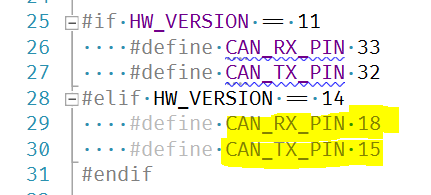
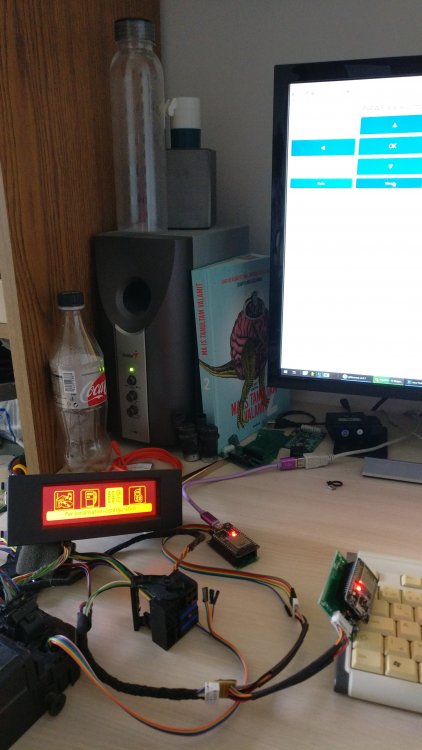
Nice to hear that at least half of it started to work I just checked a VAN-CAN Bridge and the WifiDisplayControl and it seems like it is working fine together. I have a 1.4 version (bridge) and an 1.1 version (WifiDisplay). I tested outside the car, but that shouldn't affect anything. If you have HW version 14 then CTX pin should be D15 and CRX should be D18 (unless you have a different setup) CAN H is pin 9 on display and CAN L is pin 7 GND is on pin 3 at the display. I have created an Y cable for the 2 V2C bridge:
-
Nahrál jsem novou verzi PSAVanCanBridge, která zaznamenává zprávy, které obsahují chybu CRC. Možná nám to pomůže ladit. Pokud zachytíte pakety, použijte tuto verzi. ---orig.eng.text--- I have uploaded a new version of the PSAVanCanBridge which logs the messages which contain CRC error maybe that will help us debugging. If you capture the packets, please use this version.
-
Aha, chápu. I když se chystáte vyměnit váš 307. Takže jsem se podíval na přiložený soubor žurnálu, ale zdá se, že byly otevřeny pouze jediné dveře najednou. Nebylo to tak jako ve videu předtím. Bohužel je docela těžké replikovat podobné věci, takže musíme být trochu důkladnější. Potřebuji, abys byl mým „rozšířenýma rukama a okem“. Pokud máte čas, zaznamenejte prosím logfile jako předtím, zatímco nahráváte, co děláte v autě. Video, které jste nahráli dříve, bylo v pořádku, ale potřebuji záznam i video ze stejného času. Takže mohu „přehrát“ vaše snímky na mém počítači a zkontrolovat, zda to dělá to samé jako na videu, nebo zda dělá to, co musí udělat. Omlouváme se za nepříjemnosti, které lze tyto věci doladit. Hodně štěstí při získání auta. ---orig.eng.text--- Ah I see. I though you are planning to replace your 307. So I took a look on the log file you attached, but it seems that only one door was open at a time. So it wasn't exactly like in the video before. Unfortunately it is pretty hard to replicate stuff like this so we need to be a little bit more thorough. I need you to be my "extended arms and eye". If you have time, please capture a logfile like before, while you are recording what you are doing in the car. The video you uploaded before was fine, but I need the capture and the video from the same time. So I can "replay" your frames on my computer and check if it does the same thing as on the video, or it does what it needs to do. Sorry for the inconvenience these stuff is pretty hard to debug. Good luck on getting the car.
-
Díky, že se na to podívám. Mimochodem, plánujete vyměnit auto za nové? Co dělat / model? Je to veřejné? ---orig.eng.text--- Thanks I will look into it. By the way are you planning to replace your car with a new one? What make/model? Is it public?
- 116
-
- 1
-
-
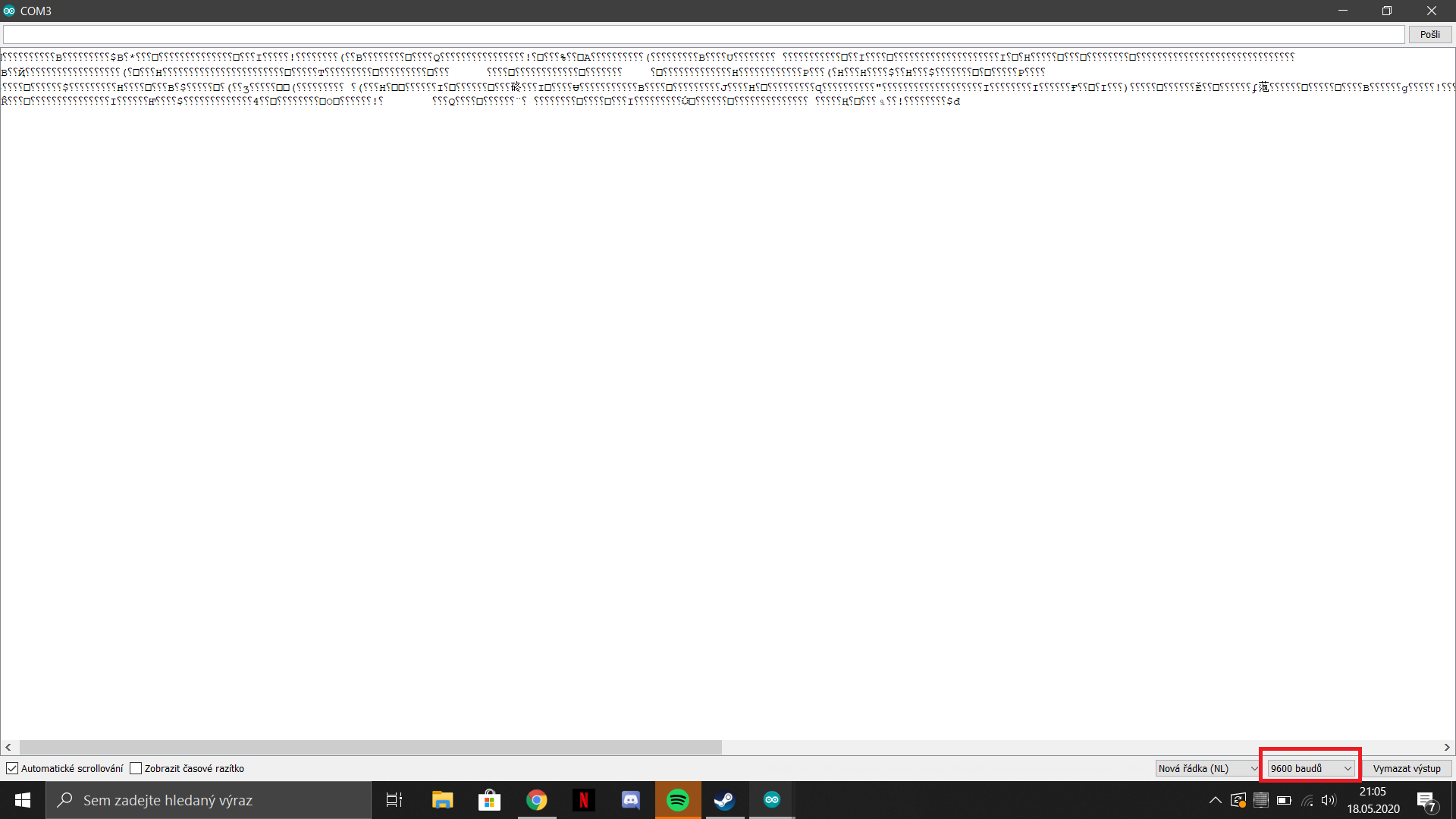
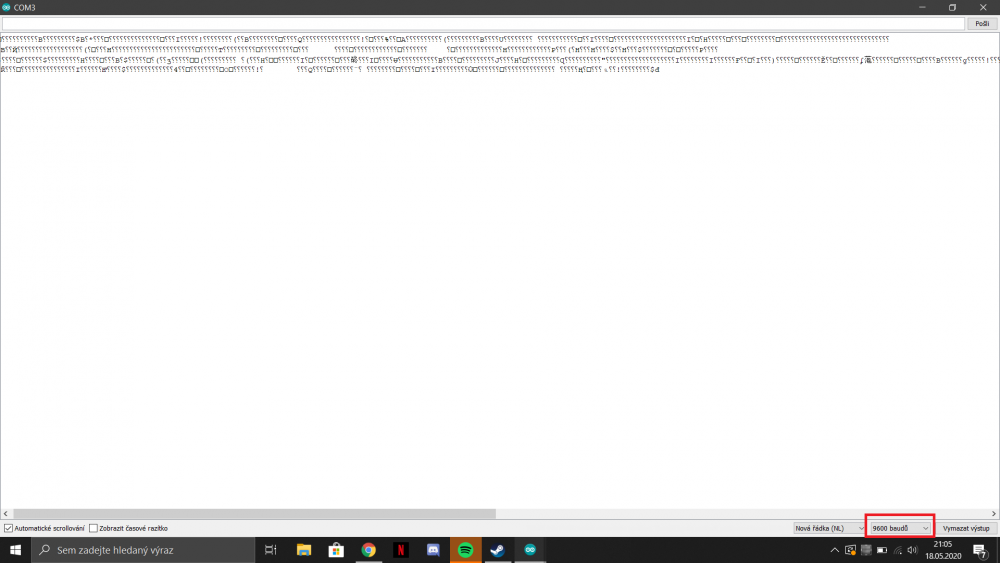
Nastavte přenosovou rychlost na 500 000. A opakujte kroky, které jste provedli v předchozím videu. (Otevřete dveře1, otevřete dveře2, zavřete dveře2, zavřete dveře 1 atd.) A připojte soubor jako text. ---orig.eng.text--- Set the baud to 500000. And repeat the steps you did on the previous video. (Open door1, open door2, close door2, close door 1, etc...) And attach the file as text.
-
Zajímavý. Zkuste to s POPUP_HANDLER nastaveným na 1 a 2 také v config.h. A pokud dokážete tento problém zítra reprodukovat, pak data zachyťte, abych vám je mohl prozkoumat. ---orig.eng.text--- Interesting. Please try with POPUP_HANDLER set to 1 and 2 also in config.h. And if you can reproduce this issue tomorrow, then capture the data, so I can investigate it for you.
-
Bluetooth spojení mezi telefonem a ESP32 by mělo být docela stabilní. Problémy však mohou nastat, pokud se znovu připojíte ručně (v tom případě se ESP32 v určitém okamžiku restartuje). Ale poté by to mělo být v pořádku pro několik spojení. Spolehlivost stisknutí tlačítka pro palubní cumputer byla problémem, ale byla opravena před několika týdny (vyžadovala novou verzi knihovny TSS463). Stisknutím tlačítka Next track a Previos track na dálkovém ovladači rádia získáte stejnou funkčnost jako řešení. Na vyskakovacích oknech se objevil i několik oprav od kolegy z Polska, takže to by mělo být v pořádku. Pokud problém přetrvává s knihovnami, které jsem připojil, as nejnovější verzí, můžete mi poslat nějaké záběry sběrnice VAN, zatímco tam jsou problémy, a pokusím se je prozkoumat. Chcete-li provést takový záznam, musíte komentovat (nebo odebrat) #define USE_BLUETOOTH_SERIAL řádek ze souboru config.h. Poté aplikace pošle pakety VAN na sériový monitor Arduino. V takovém případě musí být ESP32 napájen z USB portu (stejně jako při nahrávání firmwaru), ale 12V vyjmuto z desky ze strany auta. ---orig.eng.text--- The bluetooth connection between the phone and the ESP32 should be pretty stable. However issues can occur if you reconnect by hand several times (in that case the ESP32 will restart at some point). But after that it should be fine again for several connections. The button press reliability for the onboard cumputer was an issue, but it has been fixed a few weeks ago (it required a new version of the TSS463 library). Pressing the Next track and Previos track button on the radio remote stalk offers the same funcionality as a workaround. There was some fixes by a fellow Polish guy on the popups as well so that should be also fine. If the issue still occurs with the libraries I attached and with the latest version you can send me some VAN bus captures while the problems are there and I try to investigate them. To do such capture you need to comment (or remove) the #define USE_BLUETOOTH_SERIAL line from the config.h file. After that the application will send the VAN packets to the Arduino serial monitor. In that case the ESP32 must be powered from the USB port (just like when uploading the firmware), but the 12V removed from the board from the car side.
-
Ahoj, Jaký máte problém? Mám nainstalovaný Arduino v1.8.12 s balíčkem ESP32 v1.0.4. Nainstaloval jsem balíček desky na základě těchto pokynů: https://randomnerdtutorials.com/instal-the-esp32-board-in-arduino-ide-windows-instructions/ Knihovny jsem také připojil ze svého počítače (mám pouze tyto nainstalované ve složce Dokumenty) a nejnovější VanCanBridge ze stránky github. Toto nastavení pro mě funguje dobře. ---orig.eng.text--- Hi, What problem do you have? I have Arduino v1.8.12 installed with the ESP32 v1.0.4 package. I installed the board package based on this instructions: https://randomnerdtutorials.com/installing-the-esp32-board-in-arduino-ide-windows-instructions/ I also attached the libraries from my computer (I have only these installed in my documents folder), and the latest VanCanBridge from my github page. This setup works fine for me. libraries.zip
-
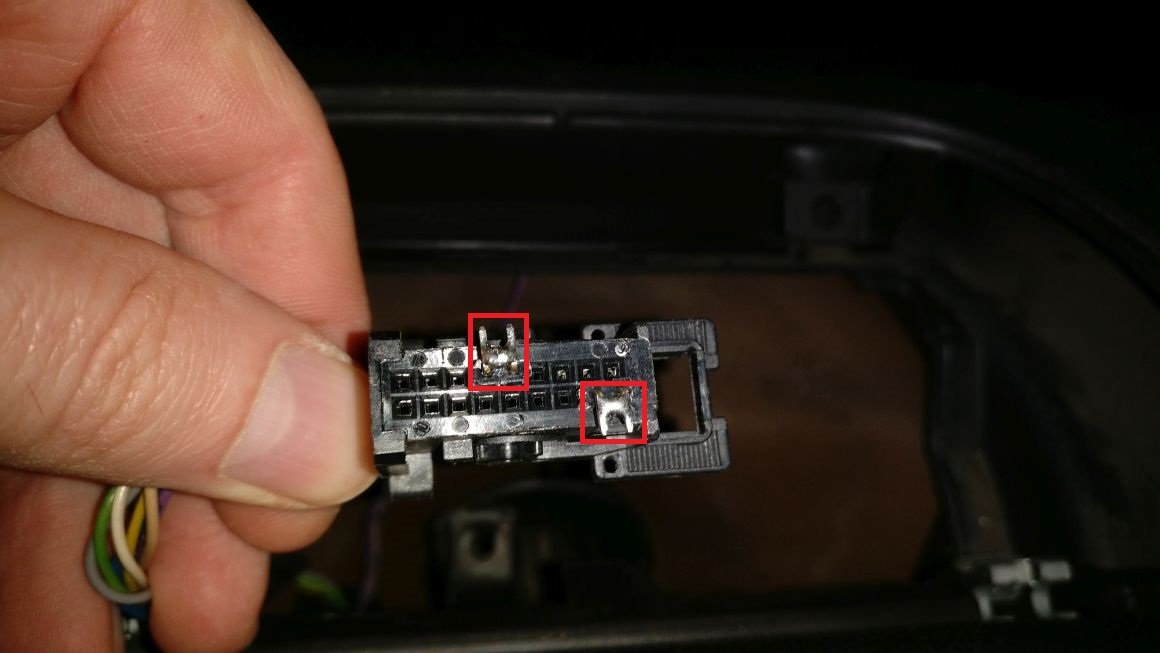
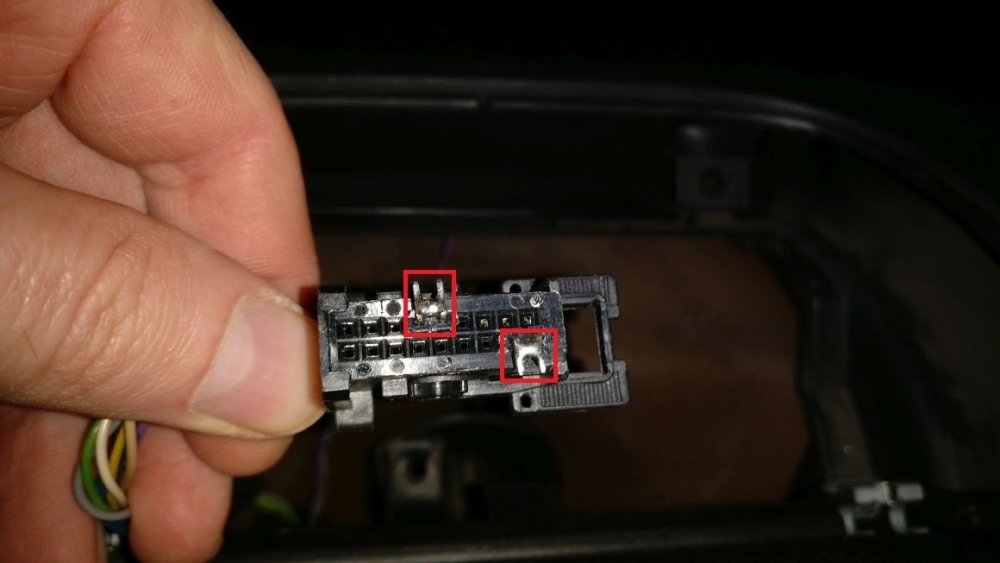
Špendlíky by měly být zkratovány na konektoru původního displeje (pokud jej chcete odebrat), a nikoli na ISO B. A / C přejde do diagnostického režimu, protože můj software z něj dotazuje vnitřní teplotu. Můžete ji zakázat ze souboru config.h (QUERY_AC_STATUS). Pro připojení Bluetooth nemám nápad. Můžete to vyzkoušet připojením ESP32 k vašemu PC pomocí USB a zkuste se připojit k bluetooth mimo auto. A také otázka týkající se tohoto: zkusili jste s jiným ESP32? Protože každý ESP32 má na obrázku jiné ID, jedná se o C88F. Možná to ale pochází z jiné jednotky, ale terminál Bluetooth zařízení uložil do mezipaměti zařízení se starým ID. --- Pins should be shorted on the connector of the original display (if you are going to remove that) and not on the ISO B. The A/C goes to diagnostics mode because my software queries the internal temperature from it. You can disable it from the config.h file (QUERY_AC_STATUS ) For the bluetooth connection I don't have an idea. You can test that by connecting the ESP32 to you PC with USB and try connecting to the bluetooth outside the car. And also a question regarding this: have you tried with another ESP32? As every ESP32 has a different ID on the picture it is C88F. But maybe that is from another unit, but the bluetooth terminal cached the device with an old ID.
-
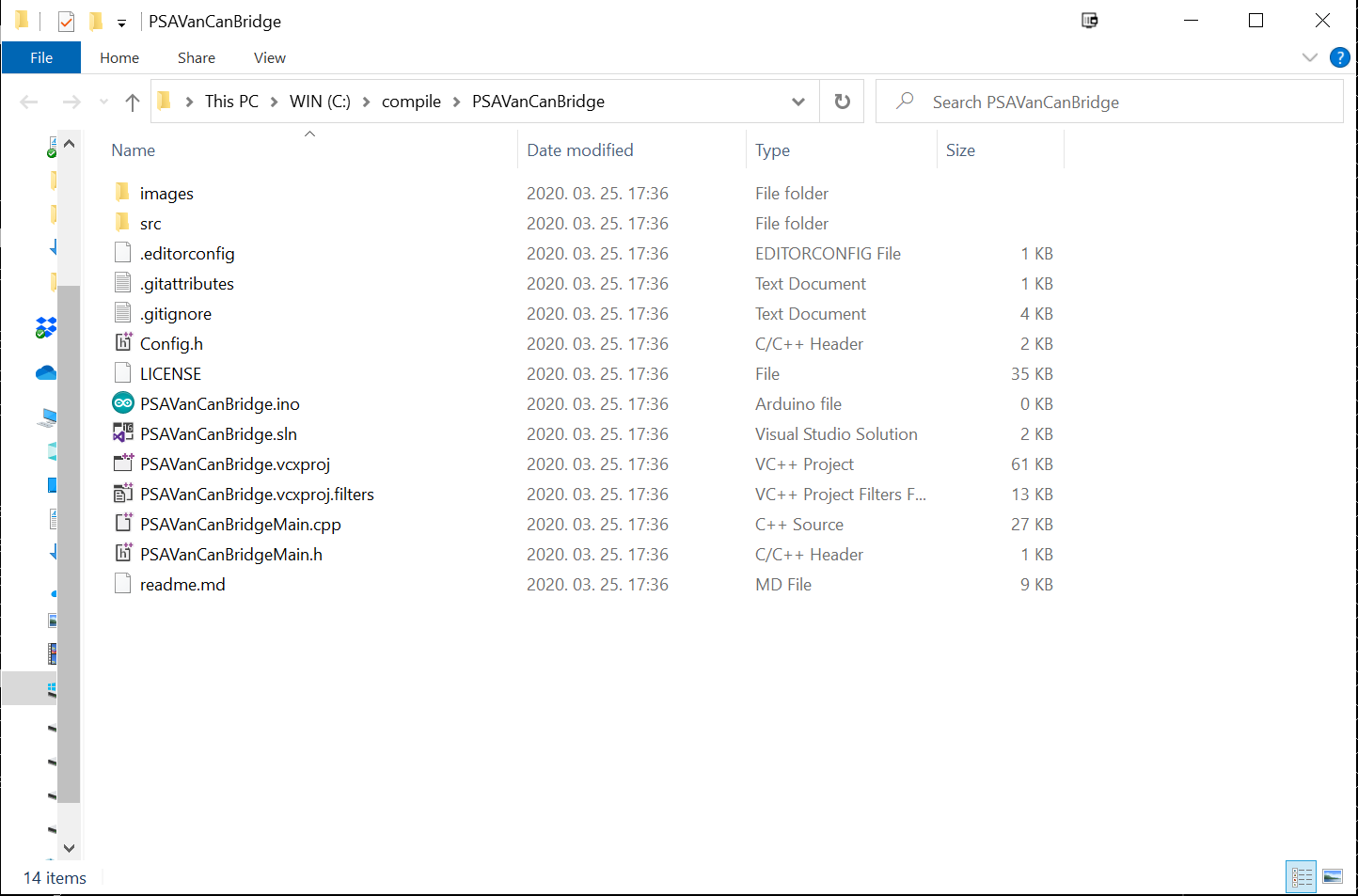
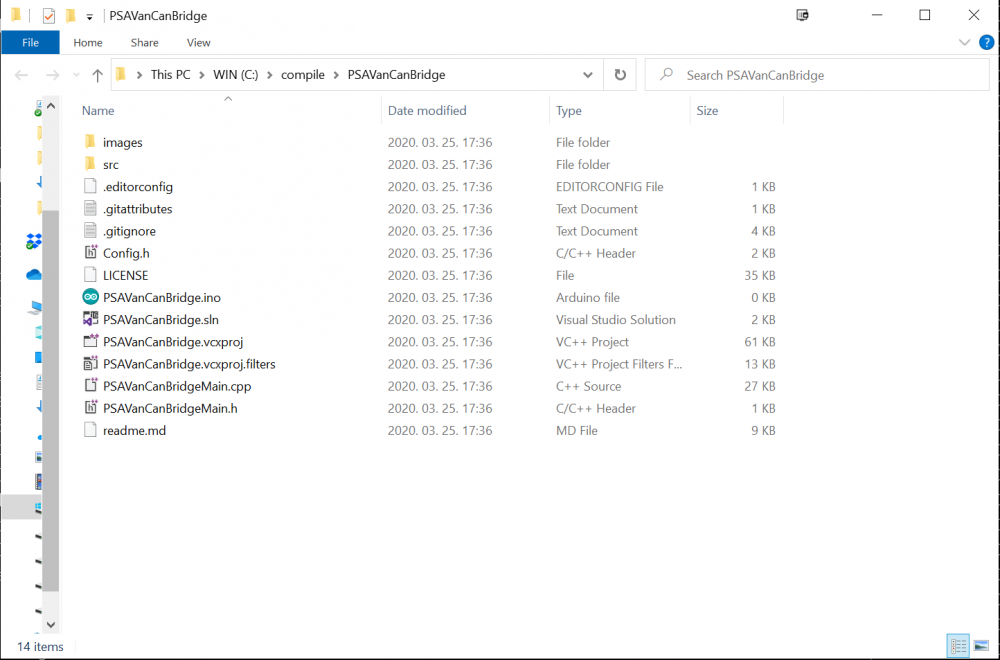
Musíte mít tuto strukturu souborů: Stačí mít pojmenovanou složku PSAVanCanBridge bez části -master a souborů uvnitř ní. A je to. Poté musíte otevřít soubor PSAVanCanBridge.ino z Arduino IDE a měl by se kompilovat. ----- You need to have this file structure: Just have a PSAVanCanBridge named folder without the -master part and the files inside it. Thats it. After that you need to open the PSAVanCanBridge.ino file from the Arduino IDE and it should compile.
- 116
-
- 4
-
-
Aha, teď to vidím. Vypadá velmi podobně jako deska ESP32 dev, ale má více exponovaných kolíků: ---- Ah I see now. It looks very similar to the ESP32 dev board, but it has more pins exposed
-
Tato deska by měla být v pořádku. Po spuštění nahrávání stačí stisknout spouštěcí tlačítko na několik sekund. ---- This board should be fine. You just have to push the boot button for a few seconds when you start uploading.
-
Nainstalujte desky ESP32 do Arduina na základě těchto pokynů: https://randomnerdtutorials.com/instal-the-esp32-board-in-arduino-ide-windows-instructions Stáhněte si zip zde: https://github.com/morcibacsi/PSAVanCanBridge/archive/master.zip Rozbalte obsah do složky s názvem PSAVanCanBridge Otevřete prázdný soubor PSAVanCanBridge.ino z Arduino IDE Z nabídky Tools\Board vyberte modul ESP32 Dev Nyní byste měli být schopni kompilovat Tyto knihovny by měly být nainstalovány do složky Dokumenty. Což by mělo vypadat takto: C:\Users\YOUR_NAME\Documents\Arduino\library ESP32 RMT peripheral VAN bus reader TSS463C VAN interface library Arduino Library for the ESP32 CAN Bus Queue ArduinoLog Nakonec byste měli mít složku jako je tato: C:\Users\YOUR_NAME\Documents\Arduino\libraries\esp32_arduino_rmt_van_rx\ C:\Users\YOUR_NAME\Documents\Arduino\libraries\tss463_van\ C:\Users\YOUR_NAME\Documents\Arduino\libraries\Queue\ C:\Users\YOUR_NAME\Documents\Arduino\libraries\esp32_arduino_can\ C:\Users\YOUR_NAME\Documents\Arduino\libraries\ArduinoLog\ The AbstractSerial.h je součástí zipu, takže s touto kni*neumím psát slušněu nemusíte dělat nic navíc ----- Install the ESP32 boards into Arduino based on these instructions: https://randomnerdtutorials.com/installing-the-esp32-board-in-arduino-ide-windows-instructions Download the zip from here: https://github.com/morcibacsi/PSAVanCanBridge/archive/master.zip Extract the contents to a folder named PSAVanCanBridge Open the empty PSAVanCanBridge.ino file from the Arduino IDE Select ESP32 Dev module from Tools\Board menu Now you should be able to compile it These libraries should be installed under your documents folder. Which should look something like this: C:\Users\YOUR_NAME\Documents\Arduino\libraries ESP32 RMT peripheral VAN bus reader TSS463C VAN interface library Arduino Library for the ESP32 CAN Bus Queue ArduinoLog In the end, you should have folder like these: C:\Users\YOUR_NAME\Documents\Arduino\libraries\esp32_arduino_rmt_van_rx\ C:\Users\YOUR_NAME\Documents\Arduino\libraries\tss463_van\ C:\Users\YOUR_NAME\Documents\Arduino\libraries\Queue\ C:\Users\YOUR_NAME\Documents\Arduino\libraries\esp32_arduino_can\ C:\Users\YOUR_NAME\Documents\Arduino\libraries\ArduinoLog\ The AbstractSerial.h is included in the zip so you don't have to do anything extra with that library
- 116
-
- 3
-
-
Vytvořil jsem jednoduchý překladač VAN-CAN pouze pro dálkové ovládání na volantu, můžete to zkontrolovat zde: https://github.com/morcibacsi/PSASteeringWheelAdapter -- I have created a simple VAN-CAN translator only for the steering wheel remote control, you can check it here: https://github.com/morcibacsi/PSASteeringWheelAdapter
- 116
-
- 2
-